Authorized iOS location testing
Authorized iPhone location testing for developers and QA.
WLOC sets a chosen test coordinate on an iPhone its owner or an authorized tester controls, checks that the setup works, and confirms the result on the device. Submitting Restore afterwards is not proof the iPhone or the target app is already back to ordinary location behavior. Built for QA teams, developers, researchers, and authorized testers.
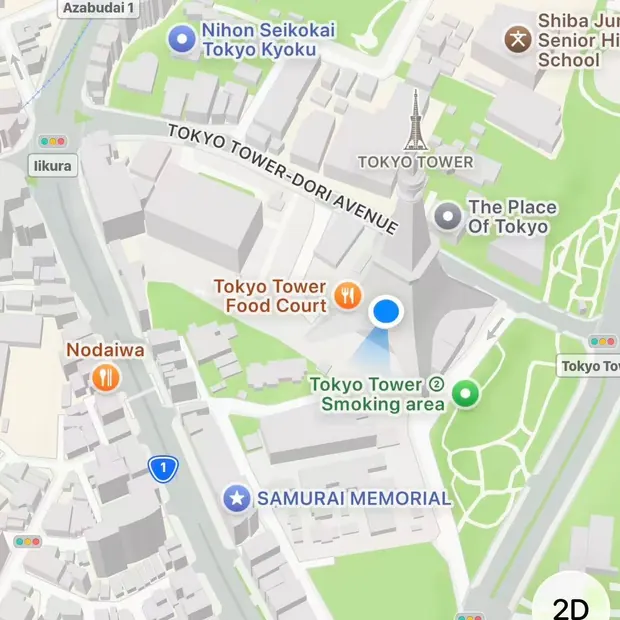
Get WLOC from the App Store. Install the one-time configuration profile the app sets up; you can remove it in Settings. Then control the test from any browser. Then confirm Tokyo Tower on the iPhone — a public place, so you know the path works. Custom places come after.
Public place
Tokyo Tower
35.658600, 139.745400 · 25 mOn the iPhone
Tokyo Tower
- 01Sign in
- 02Set up this iPhone
- 03Test, then Restore
- No third-party app
- No jailbreak
- No computer required
- Restore stays available
iOS 27 beta 6 and later is a known blocked observation
On iOS 27 beta 6 and later, product testing has observed a certificate restriction that blocks the location-testing workflow. That observation is not an Apple platform conclusion, and it is not proof that any other build works.
Every other iOS version, WLOC build, and device model is unverified on this page. Unverified does not mean supported. No support matrix is published here.
Authorized iOS location testing
What you can test
- 01iOS app location QA
Ship an iOS app that depends on location, without a live trip.
- 02Route and geofence QA
Test route, geofence, and movement states without a live drive.
- 03Regional catalog and MDM QA
QA regional catalogs, MDM, or location-risk copy you ship.
- 04Privacy rehearsals
Rehearse nearby, family, or fitness privacy on a phone you own.
- 05Check-in radius QA
QA check-in radius for an attendance product you maintain.
QA for a product you maintain. Not for punching in, or punching in for someone else.
After you sign in
The dashboard walks you through these steps
- 01
Sign in
Open the dashboard and verify your email.
- 02
Accept the policy
Read and accept the current acceptable-use policy.
- 03
Create a workspace
Name a workspace for authorized testing.
- 04
Register a device
Add an iPhone you own or are authorized to test.
- 05
Install the Profile
Download the configuration profile on the device and install it in Settings.
- 06
Turn on WLOC
In iPhone Settings, turn on the WLOC that just appeared. Confirm the result on the device.
- 07
Run a diagnostic
Apply the Tokyo Tower diagnostic and confirm the result yourself.
WLOC
Authorized testing only
WLOC does not modify GPS hardware and does not claim that every third-party app will show the test location. It is not for punching in, games, finance, payments, identity, risk control, or circumventing rules. QA on an attendance product you maintain is allowed. WLOC is not a jailbreak. The current testing Profile includes a certificate and a VPN tunnel, and it does not require a separate third-party VPN client. Saving a target, Gateway acceptance, or a submitted Restore does not mean the target app adopted the location or that the device is already restored. WLOC does not promise to override every app's permissions, cache, or anti-cheat checks.
Read the Trust CenterStraight answers
WLOC FAQ
Do I need a Mac, Xcode, or a cable?
No. You control the test from any browser. The configuration profile is installed on the iPhone.
Will my app show the test location?
Not always. GPS, iOS permissions, cache, account region, and server-side rules can all affect what an app shows. We do not claim that every third-party app will use the test location.
How do I return to the real location?
Submit Restore when the test is done. A submitted Restore is not proof the iPhone already shows its ordinary location. The control stays available and is not blocked by billing, refunds, freezes, or a pending deletion.
Does WLOC require a jailbreak?
No. WLOC does not modify iOS system files. iOS 27 beta 6 and later is a known blocked observation. Other versions are unverified, and unverified does not mean supported.
If the dashboard says the place was saved, is the iPhone using it?
No. Saved means the test place was stored. It does not mean the iPhone is connected. Confirm the result on the device.
How do I get started?
Get WLOC from the App Store. The app walks you through a one-time configuration profile you can remove in Settings. Then turn on WLOC in iOS Settings. Authorized tests are only for devices you own or are authorized to test.
Can I control the test from a browser?
Yes. After this iPhone is set up, you can run the same authorized test from the WLOC app or from any browser.
Do I need another third-party app on the iPhone?
No. WLOC uses a configuration profile. You do not install a separate third-party client.
Authorized iOS location testing
Download WLOC and start
Download WLOC, set up the iPhone, then confirm the result on the device.
Download WLOC and set up this iPhone.
WLOC is listed on the App Store. Open in the App Store